

GitHub Repository
You can find the project source code on GitHub.
Prerequisites#
- Create a Google Cloud Project.
- Enable billing for your project.
- Enable the Cloud Run, Cloud Build, Artifact Registry, and Cloud Logging APIs.
Database Setup#
Create a Redis database using Upstash Console or Upstash CLI. Copy UPSTASH_REDIS_REST_URL and UPSTASH_REDIS_REST_TOKEN for the next steps.
Counter Function Setup & Deploy#
Google Cloud Functions is now part of Cloud Run, as Cloud Run functions. You create and deploy functions from the Cloud Run console.
- Go to Cloud Run in Google Cloud Console.
- Click Write a function.
- Enter a service name, pick a region, and select a recent Node.js runtime.
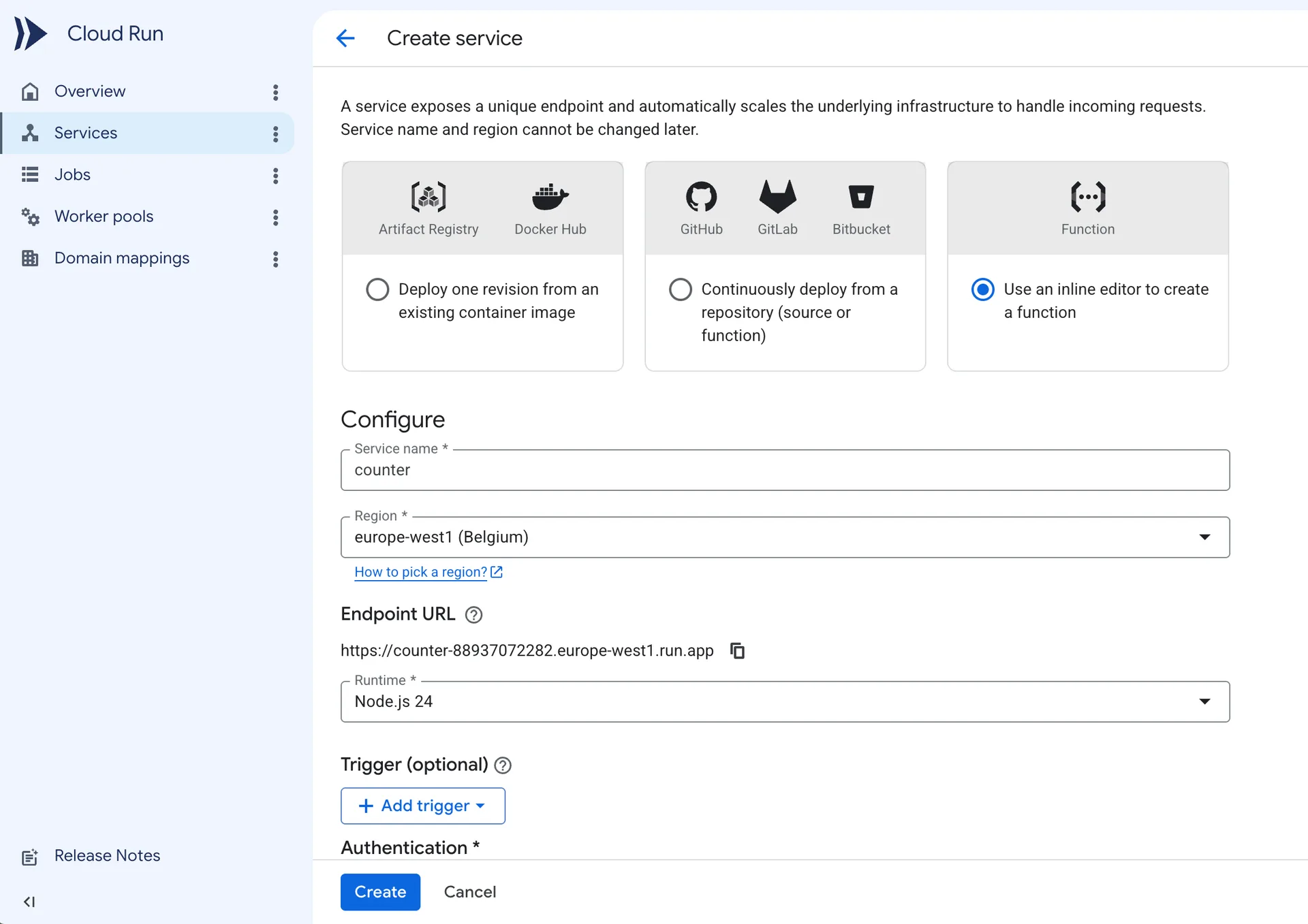
- Under Authentication, select Allow public access.
- Expand the Containers, Volumes, Networking, Security section. In the Variables & Secrets tab, add the
UPSTASH_REDIS_REST_URLandUPSTASH_REDIS_REST_TOKENenvironment variables with the values from your database.
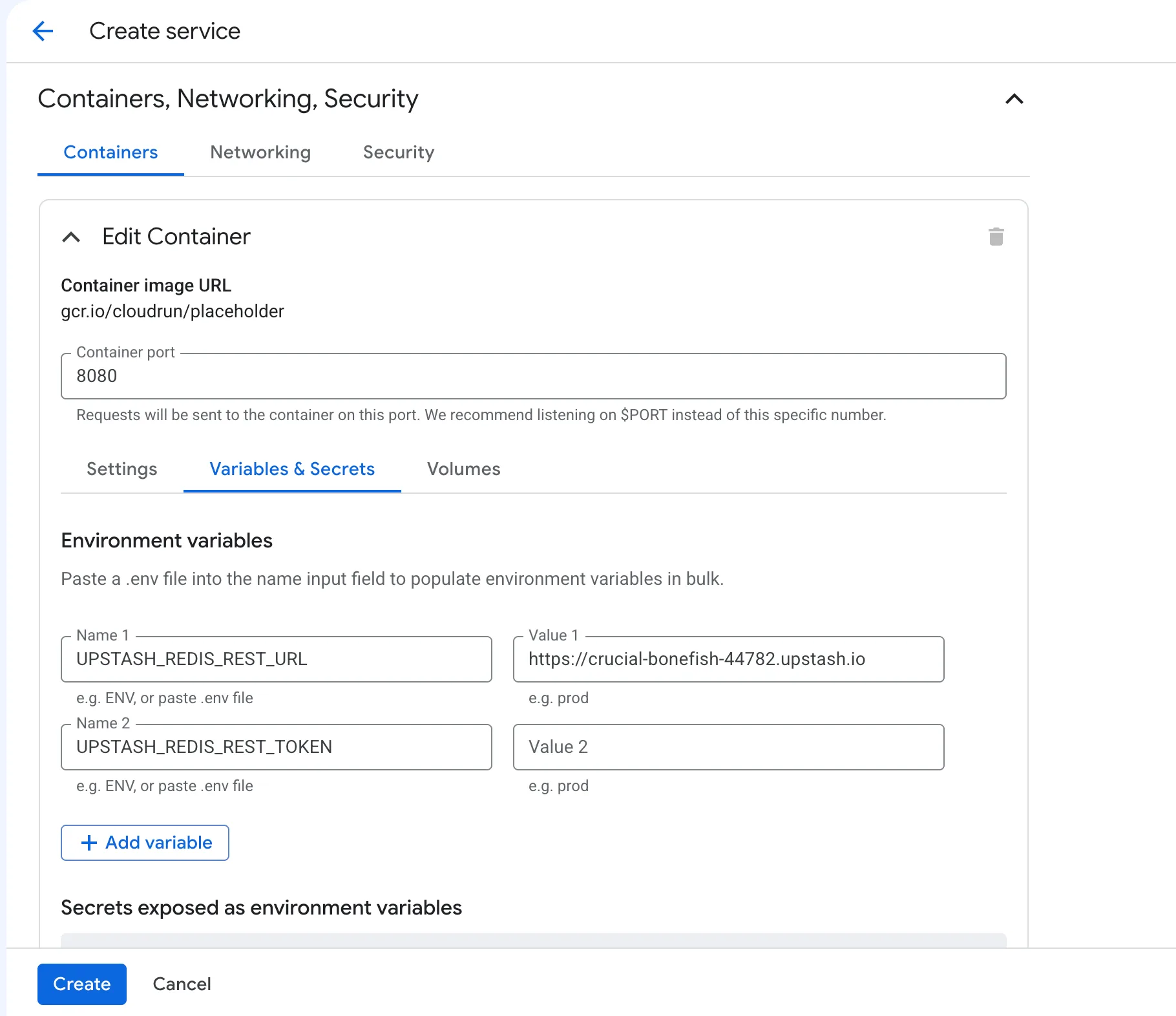
- Click Create. The console creates the service and opens the inline source editor.
- Set Function entry point to
counter.
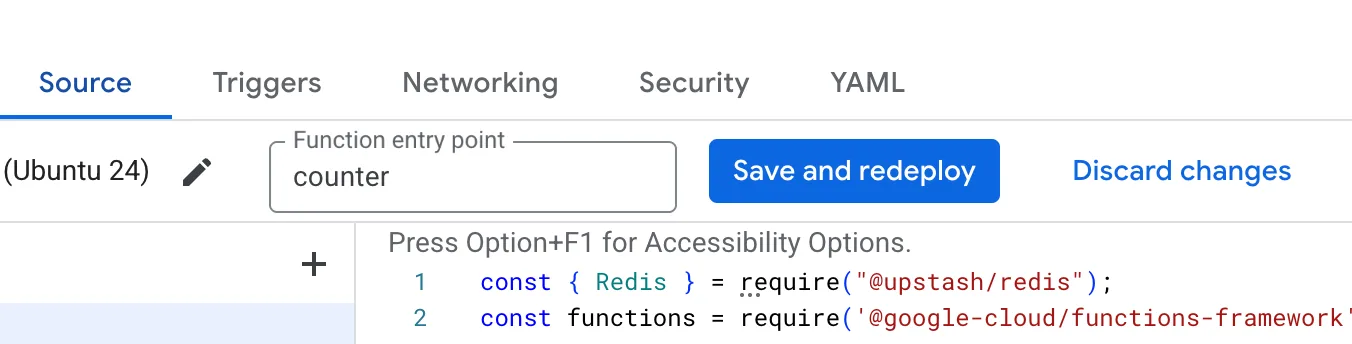
Warning
The entry point must match the name you register with
functions.http('counter', ...) below. If it stays at the default
helloHttp, the container starts no server and the deploy fails with a
“failed to start and listen on PORT 8080” error.
- Update
index.js
index.js
- Update
package.jsonto include@upstash/redis.
package.json
- Click Save and redeploy.
- Visit the URL shown at the top of the service page.